A. The Critical Imperative of Web Server Performance in the Modern Digital Landscape
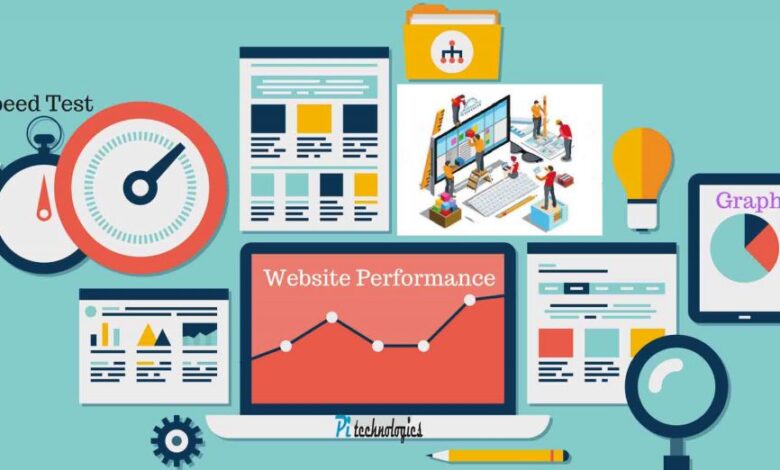
In an age where user attention is the most valuable currency and search engine algorithms meticulously rank user experience, web server performance has transcended from a technical concern to a core business imperative. A slow-loading website is more than an inconvenience; it is a direct pathway to increased bounce rates, diminished conversion rates, eroded brand credibility, and lower search engine rankings. Web server performance optimization is the holistic practice of fine-tuning the entire software and hardware stack responsible for delivering web pages to users, ensuring that every millisecond is leveraged for maximum efficiency. This comprehensive guide delves deep into the art and science of transforming a sluggish server into a high-performance engine, covering everything from fundamental concepts to advanced architectural strategies. We will explore server software selection, caching mechanisms, protocol upgrades, and monitoring techniques, providing a actionable blueprint for developers, system administrators, and business owners to achieve blazing-fast website speeds that captivate users and dominate search results.
The performance of a web server is the foundational layer upon which all other front-end optimizations are built. No amount of image compression or JavaScript minification can compensate for a slow server response time (Time to First Byte – TTFB). This guide will empower you to diagnose bottlenecks, implement proven solutions, and create a robust infrastructure that scales seamlessly with your traffic, ensuring your digital presence is not just operational, but exceptional.
B. Deconstructing Web Server Performance: The Core Metrics That Matter
To optimize effectively, you must first understand what you are measuring. Performance is quantified through several key metrics that provide a holistic view of your server’s health and efficiency.
A. Server Response Time (Time to First Byte – TTFB)
This is the time between a user’s browser requesting a page and receiving the first byte of data from the server. A good TTFB is under 200 milliseconds. A slow TTFB indicates underlying server-side issues, such as inefficient application code, slow database queries, or inadequate server resources.
B. Requests Per Second (RPS)
This measures the number of requests your server can handle each second. This is a crucial metric for understanding your server’s capacity and how it will perform under traffic spikes.
C. Concurrent User Support
This defines the number of simultaneous users your server can maintain a stable, responsive connection with before performance begins to degrade.
D. Error Rate
The percentage of requests that result in HTTP error status codes (e.g., 4xx, 5xx). A high error rate during traffic surges often points to exhausted resources or software limitations.
E. Throughput
The amount of data your server can successfully deliver to users over a given period, typically measured in megabits per second (Mbps) or gigabits per second (Gbps).
C. Foundational Optimization: Choosing and Configuring Your Web Server Software
The choice and configuration of your web server software lay the groundwork for all subsequent optimizations.
A. Nginx vs. Apache: Selecting the Right Engine
-
Apache: Uses a threaded or process-based model (MPM – Multi-Processing Module). It is highly flexible through its
.htaccesssystem and a vast ecosystem of modules. However, this flexibility can come at a cost to performance under high concurrent loads, as each connection typically consumes a significant amount of RAM. -
Nginx: Built on an asynchronous, event-driven architecture. It does not create a new process for each connection, making it exceptionally efficient at handling a massive number of concurrent connections with a relatively low memory footprint. It excels at serving static content and acting as a reverse proxy.
-
The Modern Hybrid Approach: Often, the best performance is achieved by using both. Nginx is placed as a reverse proxy in front of Apache. Nginx handles all static content (images, CSS, JS) and manages client connections, while proxying dynamic requests (like PHP) back to Apache. This combines Nginx’s concurrency with Apache’s flexibility for dynamic content.
B. Essential Configuration Tweaks for Maximum Efficiency
-
Nginx Configuration Optimizations:
-
worker_processes: Set this to the number of CPU cores available. -
worker_connections: Defines the maximum number of simultaneous connections each worker process can handle. The total max connections isworker_processes * worker_connections. -
keepalive_timeout: Reduces overhead by keeping connections open for a short period for subsequent requests. -
gzip: Enables compression for text-based resources (HTML, CSS, JS), drastically reducing their transfer size. -
Static File Caching: Use the
expiresheader to instruct browsers to cache static files locally for an extended period.
-
-
Apache Configuration Optimizations (using MPM Event):
-
StartServers: The number of child server processes created at startup. -
MinSpareThreads/MaxSpareThreads: The minimum and maximum number of idle threads. -
ThreadsPerChild: The number of threads created by each child process. -
MaxRequestWorkers(orMaxClientsin older versions): The maximum number of simultaneous connections Apache will accept. This is a critical setting to prevent server overload. -
Disable .htaccess: For a significant performance boost, disable
.htaccessoverrides in your main configuration file (AllowOverride None) and move the rules directly into the virtual host configuration. This prevents Apache from checking the file system for.htaccessfiles on every request.
-

D. The Power of Caching: Implementing a Multi-Layered Caching Strategy
Caching is the most effective technique for improving web server performance. It involves storing frequently accessed data in a fast-retrieval layer to avoid redundant, expensive operations.
A. Opcode Caching (For PHP Applications)
For interpreted languages like PHP, an opcode cache stores the compiled version of a script in memory, eliminating the need for the server to recompile it on every request.
-
Solutions: OPcache (built into modern PHP versions) is essential and must be enabled and configured in your
php.inifile.
B. Object Caching
This involves caching the results of expensive database queries or complex computational operations.
-
Solutions: Redis and Memcached are in-memory data structure stores. They are incredibly fast and can be used to store session data, query results, and rendered HTML fragments, dramatically reducing the load on your database.
C. Full-Page Caching
The holy grail for dynamic sites, this serves a fully-rendered HTML page to a user without executing the underlying application code or querying the database.
-
Reverse Proxy Caching: Nginx or Varnish Cache can be configured to store the complete output of a page. For a specified period, all requests for that page are served directly from the cache, reducing the load on the application server to near-zero.
-
Application-Level Caching: Platforms like WordPress have plugins (e.g., W3 Total Cache, WP Rocket) that generate static HTML files of your pages.

E. Advanced Performance Enhancement Techniques
Once the foundations are solid, these advanced strategies can yield significant further gains.
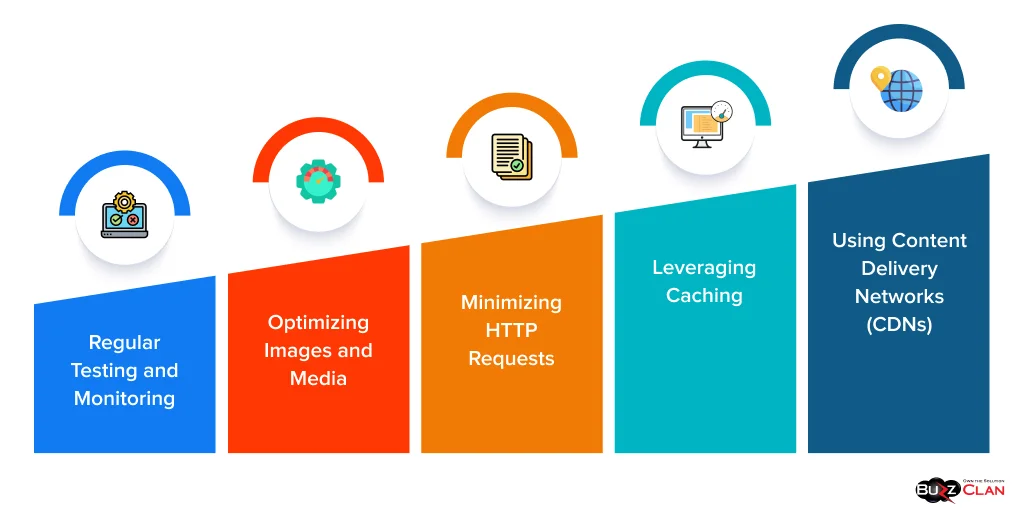
A. Leveraging a Content Delivery Network (CDN)
A CDN is a globally distributed network of proxy servers. It caches your static assets (images, CSS, JavaScript, videos) in locations geographically closer to your users.
-
Impact: This drastically reduces latency, offloads traffic from your origin server, and improves global load times. Providers like Cloudflare, Amazon CloudFront, and Akamai are industry standards.
B. Adopting Modern Protocols: HTTP/2 and HTTP/3
-
HTTP/2: This major revision to the HTTP protocol introduces multiplexing (sending multiple files over a single connection), header compression, and server push. This eliminates the head-of-line blocking problem of HTTP/1.1 and makes websites much more responsive.
-
HTTP/3: The next evolution, based on the QUIC transport protocol, further reduces latency by improving connection establishment and handling packet loss more efficiently, especially on mobile networks.
C. Database Optimization
The database is often the primary bottleneck for dynamic sites.
-
Query Optimization: Use slow query logs to identify and optimize inefficient database queries. Ensure proper indexing is in place.
-
Database Caching: Utilize the built-in query cache of databases like MySQL/MariaDB, or better yet, offload caching to a dedicated object cache like Redis.
D. Image and Asset Optimization
While partly a front-end task, the server can enforce good practices.
-
Use Modern Formats: Serve images in next-generation formats like WebP or AVIF, which offer superior compression compared to JPEG and PNG.
-
Lazy Loading: Implement lazy loading for images and iframes so that they are only loaded when they enter the viewport.
F. A Step-by-Step Performance Audit and Implementation Plan
A systematic approach is key to sustained performance.
A. Step 1: Benchmark and Measure
-
Tools: Use tools like GTmetrix, WebPageTest, and Google PageSpeed Insights to get a baseline performance score and identify critical issues.
-
Server Monitoring: Use command-line tools like
top,htop,vmstat, andnginx-statusto monitor server resources in real-time.
B. Step 2: Implement Foundational Fixes
-
Enable Gzip compression on your web server.
-
Configure browser caching headers for static assets.
-
Enable and tune OPcache for PHP.
-
Optimize your web server’s (Nginx/Apache) core configuration for your specific hardware.
C. Step 3: Deploy a Caching Strategy
-
Implement an object cache (Redis/Memcached).
-
Configure a reverse proxy cache (Nginx FastCGI Cache or Varnish) for full-page caching.
-
Integrate a CDN for global static asset delivery.
D. Step 4: Execute Advanced Optimizations
-
Upgrade your site to support HTTP/2 (requires SSL/TLS).
-
Optimize and index your database.
-
Convert and serve images in modern formats.
E. Step 5: Continuous Monitoring and Iteration
Performance optimization is not a one-time task. Continuously monitor your metrics and set up alerts for performance regressions. Regularly review and refine your configurations.
G. Conclusion: Building a Culture of Performance
Web server performance optimization is a continuous journey, not a final destination. It requires a strategic blend of software selection, intelligent configuration, and the implementation of a multi-layered caching architecture. By understanding the core metrics, meticulously tuning your server environment, and leveraging modern technologies like CDNs and HTTP/2, you can build a digital presence that is not only fast but also scalable, resilient, and successful.
The investment in performance pays compounding dividends. It enhances user satisfaction, boosts conversion rates, improves search engine visibility, and ultimately strengthens your brand’s reputation in a crowded online world. Begin with the foundational audits, implement the strategies outlined in this guide, and commit to a culture of continuous improvement. Your users, your search rankings, and your bottom line will thank you for it.